Topic Resolution: Resolved
  • Closed
  • Lee Amon
    Spectator
    24.07.2015 at 21:23 #19156

    I thought I entered this last night, but I don’t see it. My apologies if this is a duplicate

    Love the theme – 2 small items

    1. On my main menu there are small boxes next to any item that has a further submenu. I assume that these are supposed to be arrows, and I am guessing that the image isn’t where it should be. But I have no idea where to find the image out where to put it, or if it is already there and I just need to tell evolve+ where to find it (or how I would do that.)

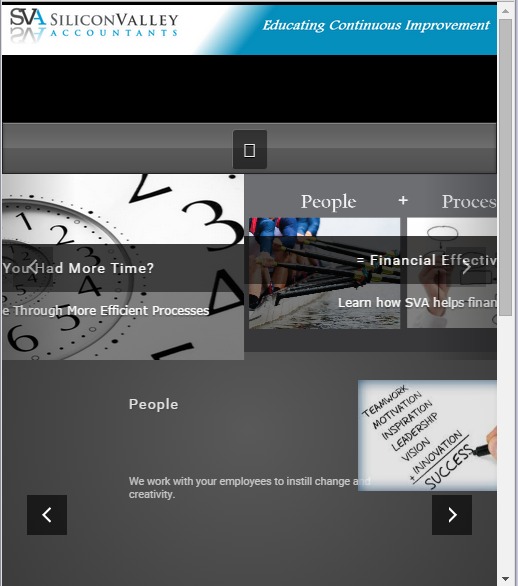
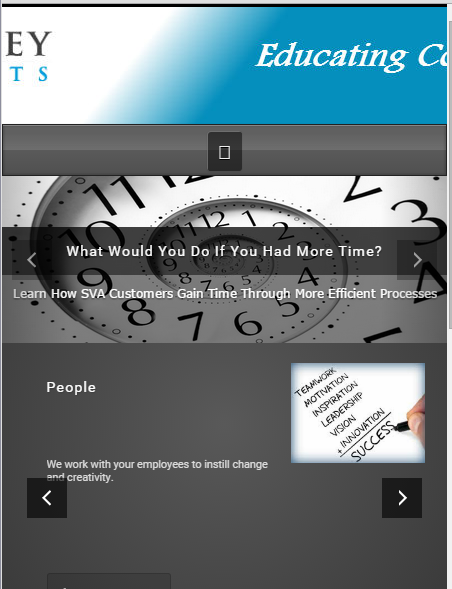
    2. My header image is 1200 px wide – When I have header image in “cover” mode and the display is less than 1200 pix (phone tablet etc) I don’t get the whole image. When I have the header image is in “contain” mode the image shrinks but then a large area of background shows up underneath the image. I am guessing that it maintains the same height in the container for the header image. Is there a way to have the height of the container shrink proportionally to the width, so that we see the whole image without the large background space underneath?

    Thank you for your help and for producing a great theme

    Denzel Chia
    Moderator
    Posts: 2656
    25.07.2015 at 15:34 #19172

    Hi,

    Please post your website url, we need to see it before coming up with a possible solution.

    Thanks!
    Denzel

    Lee Amon
    Spectator
    Posts: 3
    25.07.2015 at 18:45 #19175

    Thank you for the response http://test.svacpa.com/ – Still in development – so a number of things still look pretty weird

    Update – The arrows show on my Kindle, but not on my laptop – So I think it is a matter of the website not handling it gracefully if the browser can’t access target fonts.

    I also took some screen snaps so you could see what I mean

    http://svacpa.com/images/menu_missing_arrows.PNG

    http://www.svacpa.com/images/responsive_in_contain_mode.PNG

    http://www.svacpa.com/images/responsive_in_cover_mode.PNG

    Further note – on the same laptop, I see the arrows in the menu on this site (next to themes and support), and would be totally ok with my site looking like this So I don’t get why I don’t see them on my site.

    Thanks again – and I really do love the theme

    Denzel Chia
    Moderator
    Posts: 2656
    25.07.2015 at 19:26 #19177

    Hi,

    Your site is showing the following error.

    Cross-Origin Request Blocked: The Same Origin Policy disallows reading the remote resource at http://svacpa.com/test/wp-content/plugins/easy-bootstrap-shortcodes/fonts/fontawesome-webfont.woff?v=4.2.0. (Reason: CORS header ‘Access-Control-Allow-Origin’ missing).

    Please see screenshot http://prntscr.com/7wvxfy

    Please see related thread, https://theme4press.com/support/topic/some-errors-on-my-site/#post-19050

    Thanks!
    Denzel

    Lee Amon
    Spectator
    Posts: 3
    26.07.2015 at 01:29 #19179

    Thank you –

    Found this info
    http://stackoverflow.com/questions/27009425/how-can-i-fix-the-missing-cross-origin-resource-sharing-cors-response-header

    and the solution that worked best for me was to insert this line of code

    Header set Access-Control-Allow-Origin “*”

    into the .htaccess file at the public html root of my directory

    Looks much better – will be posting another question in a new thread soon

    Again, thanks – love the theme – love the service!